Get a quote
Solutions

WMS · WCS — one platform from office to equipment

A ready-to-run cloud WMS with 7 core modules, field apps for PDA and kiosk, and a WCS control layer that drives automation equipment — in 9 languages.

One platform, two layers, nine languages

Warehouse Management

WMS

Master data, inbound, orders, outbound, inventory, billing and admin. Lot, expiry and serial control with FEFO · FIFO · LIFO.

Warehouse Control

WCS

Standard commands for AS/RS, conveyors, sorters, AMR and robots, with SCADA monitoring and alarms.

Global

9 languages

Korean, English, Spanish, Arabic, Thai, Vietnamese, Czech, Hungarian and Chinese on every screen, PDA and kiosk — switch at login.

7 core modules, built in

Master dataInboundOrdersOutboundInventoryBilling (3PL)Admin

Run every warehouse process in the WMS

Real WMS screens used every day on site (demo data).

Master data

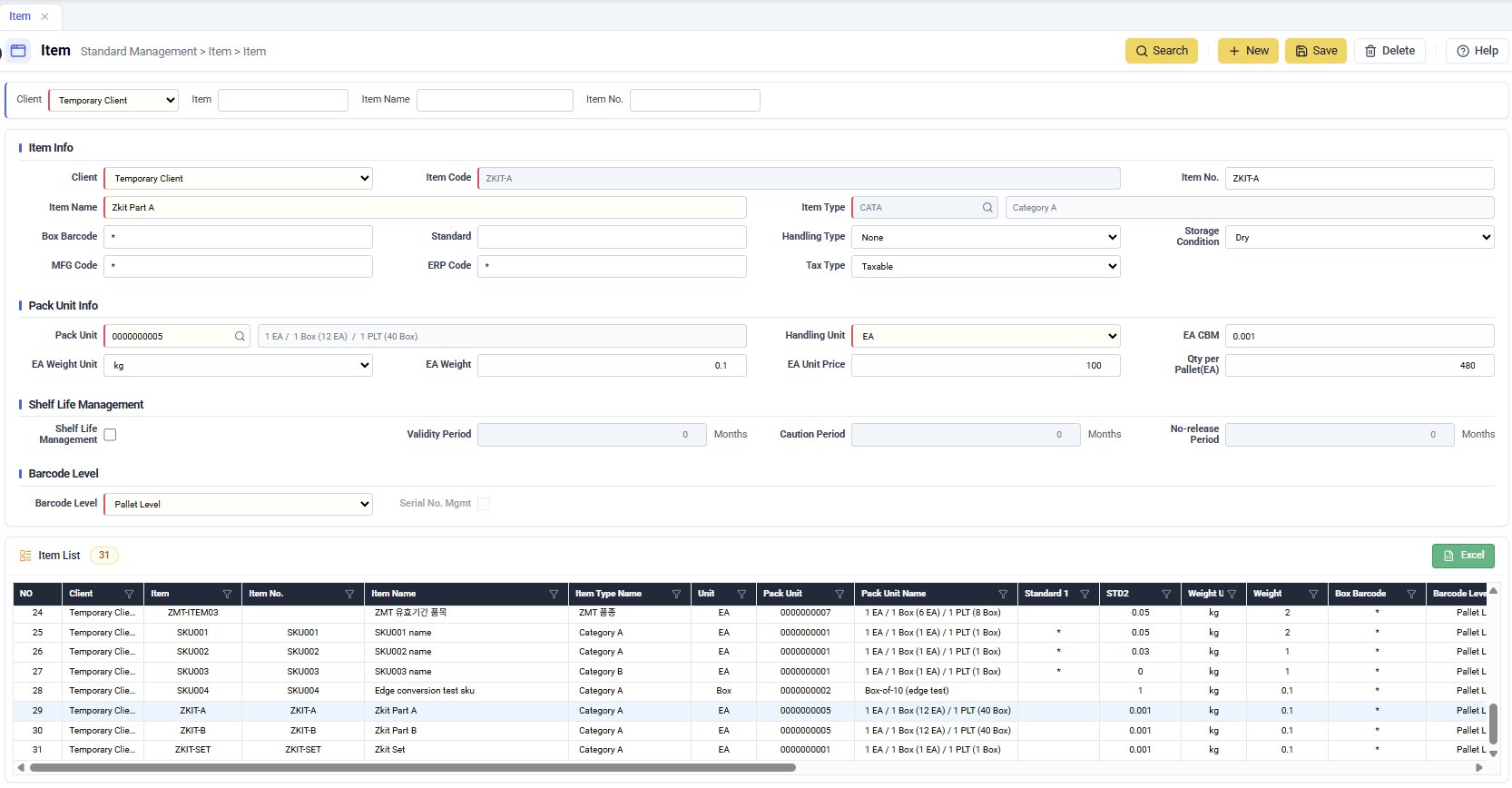
Item master

Item code, ERP code and barcode, pack units (EA / Box / Pallet), weight and CBM, storage condition, shelf-life rules (validity, caution and no-release periods) and barcode level — all in one screen.

Item master
Live system screen (demo data)
Driver Self-Service Kiosk

Automated truck driver check-in & check-out with the KIOSK

Drivers register themselves at the kiosk — no office queue. Arrival and departure times are logged automatically and the BOL prints at check-out.

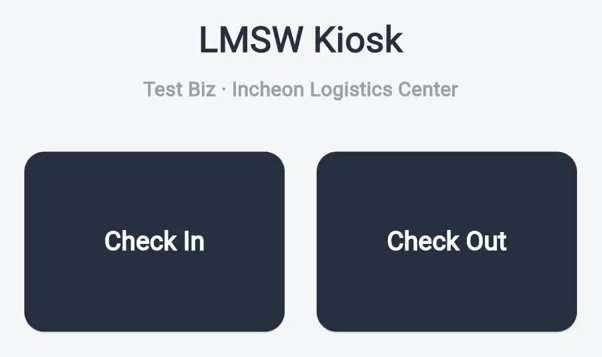
  1. Start screen
    01

    Start screen

    On arrival the driver taps Check In; before leaving, Check Out.

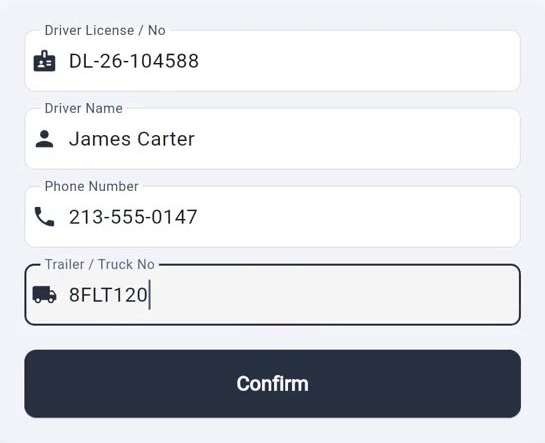
  2. Driver & truck info
    02

    Driver & truck info

    Driver license, name, phone and trailer/truck number are entered on the touch screen; the arrival time is logged automatically.

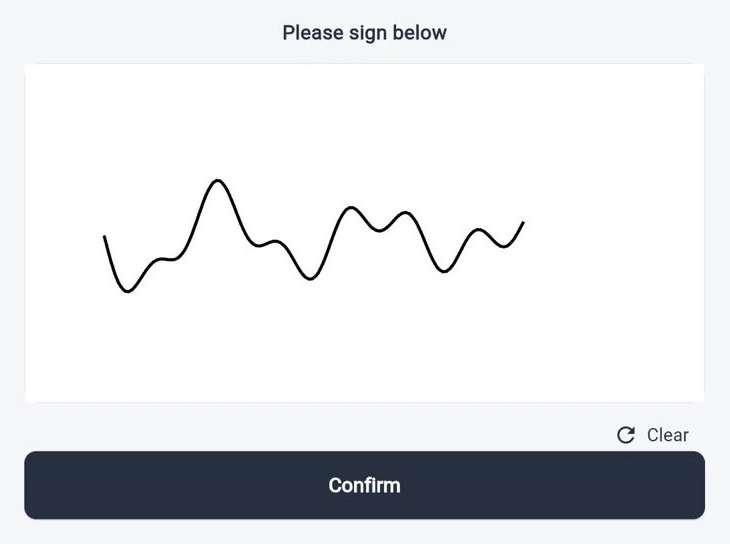
  3. Driver e-signature
    03

    Driver e-signature

    At check-out, after the order, ship-to and seal number are confirmed, the driver signs on screen.

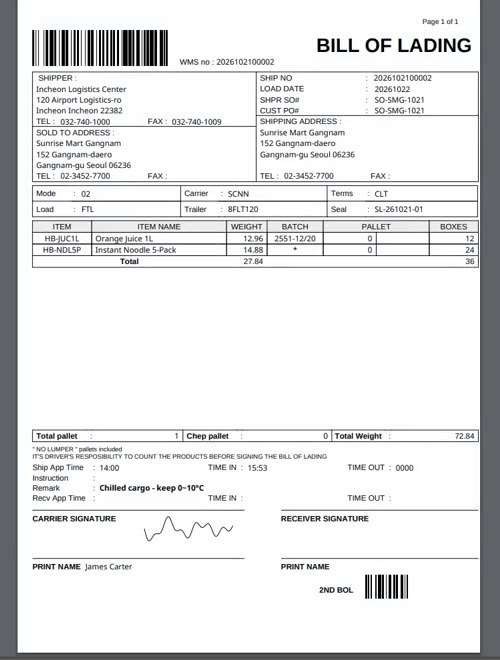
  4. Automatic BOL
    04

    Automatic BOL

    The Bill of Lading with items, weights, seal number, times and signature prints immediately, and the departure time is logged.

  • Arrival and departure times logged automatically — evidence for detention disputes
  • Order, ship-to and seal number verified at check-out
  • BOL printed automatically with the driver’s signature
  • Kiosk screens switch language on the spot

Live system screen (demo data)

Android PDA app

Scan-based field work with the PDA

Receiving, put-away, moves and order checks are done by scanning barcodes — every result is reflected in the WMS in real time.

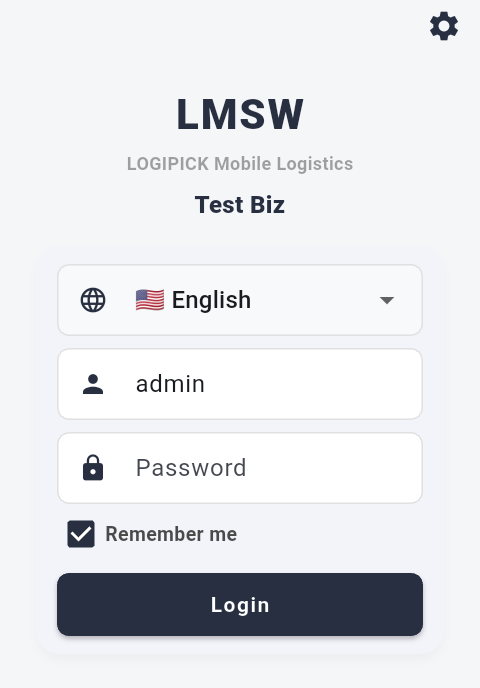
  1. Login & language
    01

    Login & language

    Choose the language, sign in and work in your client and warehouse.

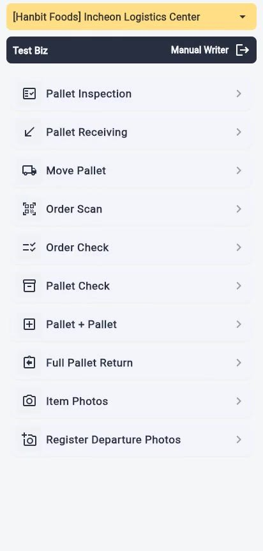
  2. Work menu
    02

    Work menu

    All field tasks on one menu: inspection, receiving, moves, order scan and check, pallet check and photos.

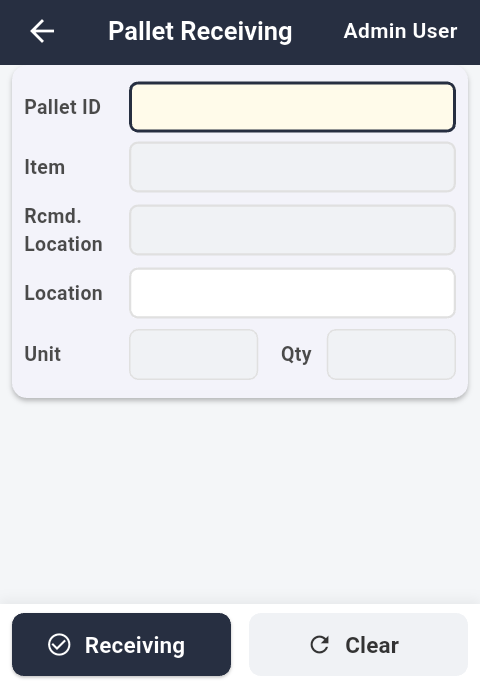
  3. Pallet receiving
    03

    Pallet receiving

    Scan the pallet ID — item, quantity and recommended location appear. Scan the location to complete put-away.

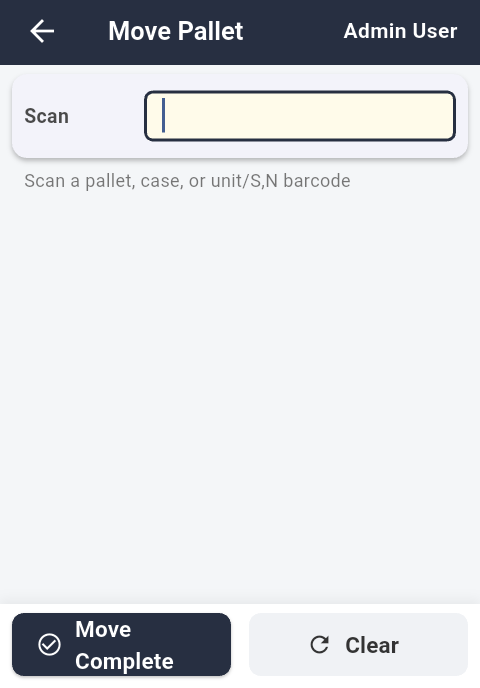
  4. Move pallet
    04

    Move pallet

    Scan a pallet, case, unit or S/N barcode and the new location to move stock instantly.

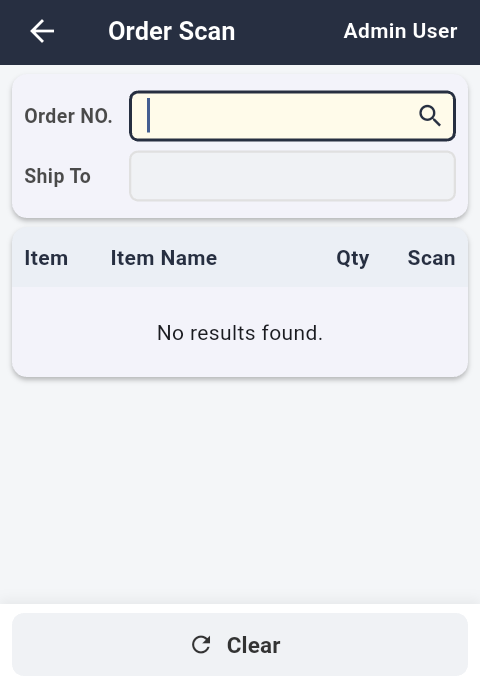
  5. Order scan
    05

    Order scan

    Scan the order number and items; planned and scanned quantities are checked line by line to prevent mis-picks.

PDA functions

Pallet inspectionPallet receivingMove palletOrder scanOrder checkPallet checkPallet + pallet (merge)Full pallet returnItem photosDeparture photos
  • Paperless: scan-only from receiving to shipping
  • Every scan updated in the WMS in real time
  • Wrong items and locations blocked on the spot
  • Departure photos and seal numbers kept as claim evidence

Live system screen (demo data)

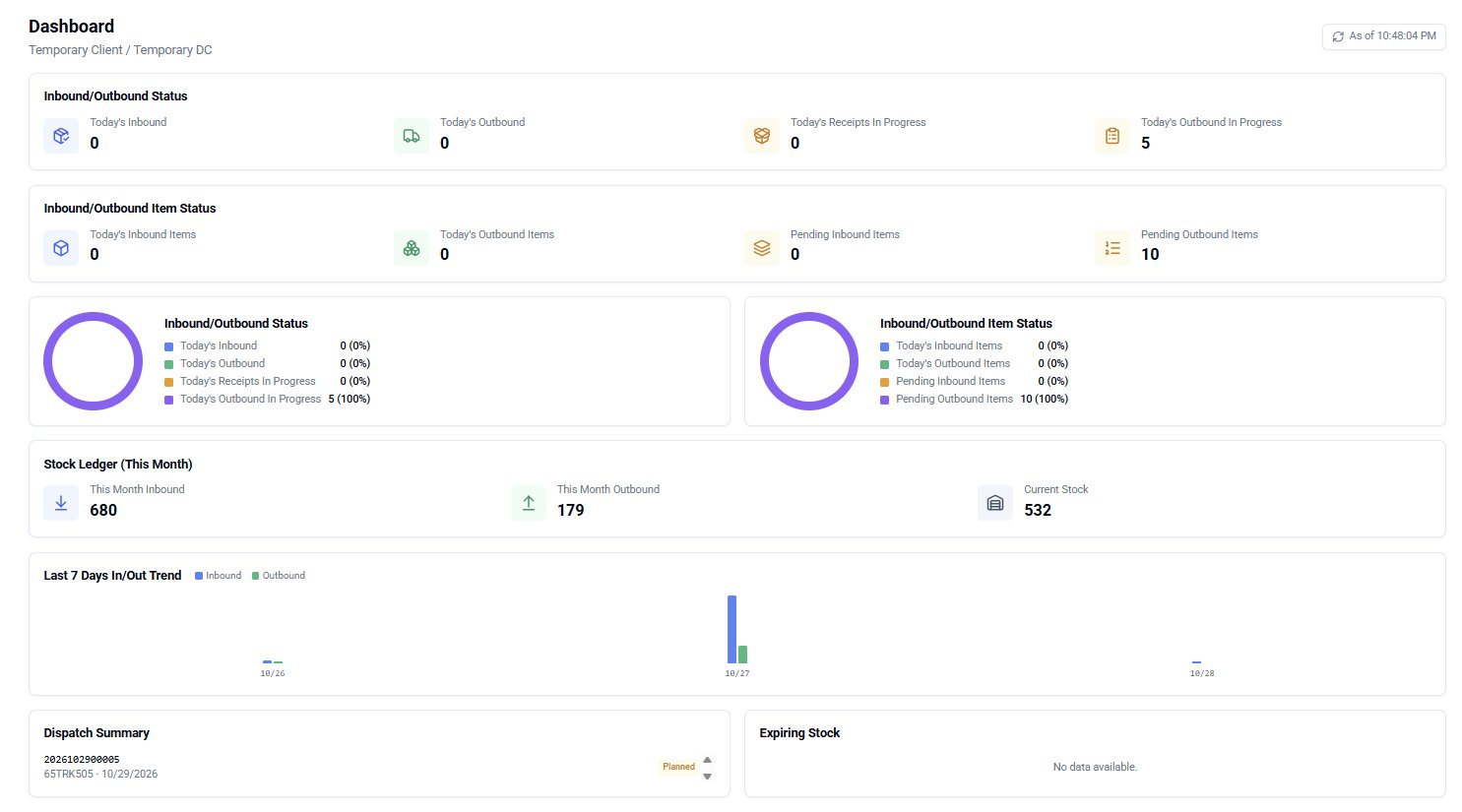
Executive dashboard

Inbound, outbound, in-progress and pending work on one screen, with monthly ledger, 7-day trend, dispatch summary and near-expiry alerts.

Executive dashboard
Live system screen (demo data)

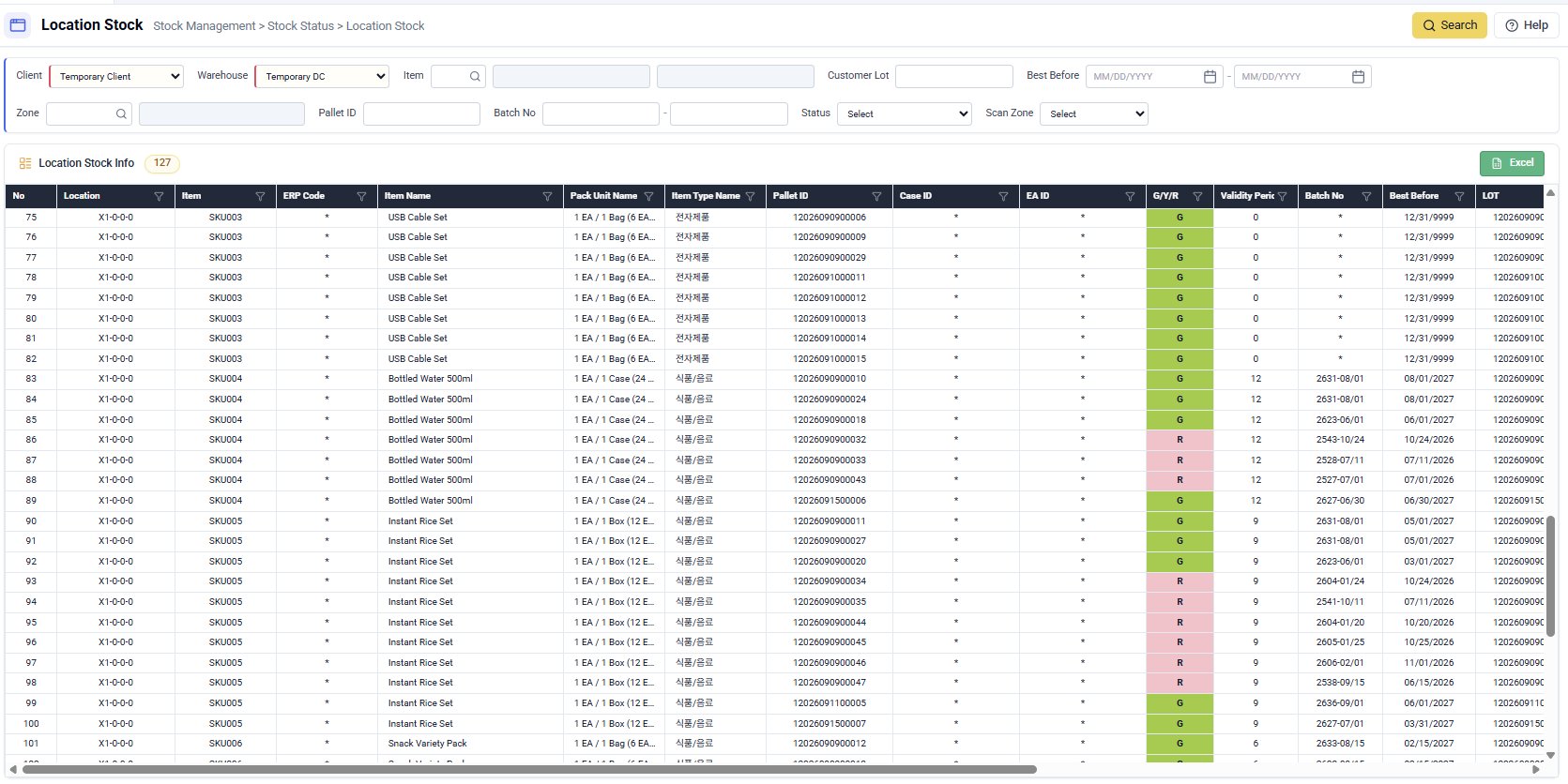
Stock traffic light

Pallet-level red · yellow · green expiry status. Expired stock is blocked from shipping; near-expiry stock goes first. Proven in food and pharma.

Stock traffic light
Live system screen (demo data)

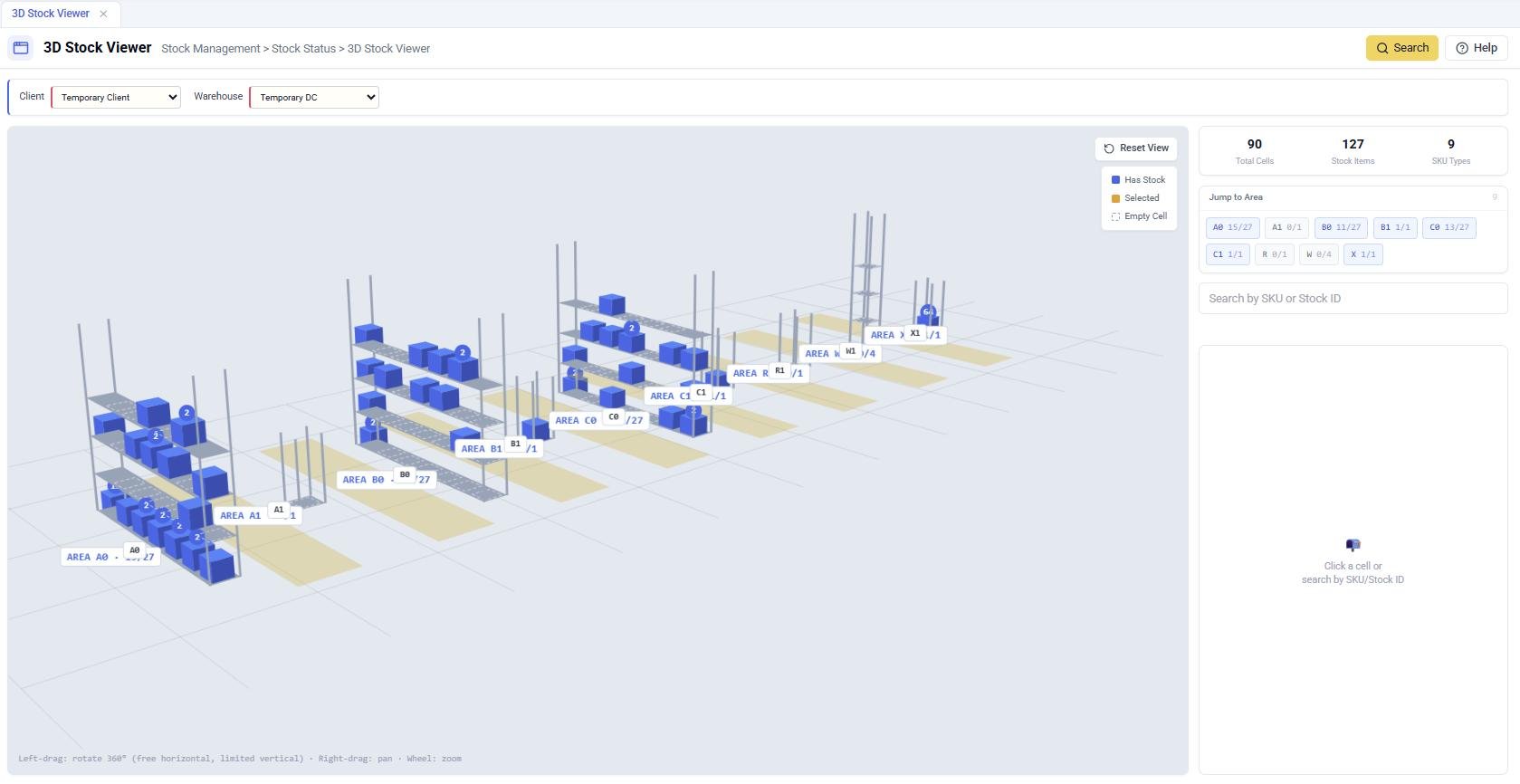
3D digital twin

See occupied and empty locations by zone, jump to any area in one click, and search an SKU or pallet to find it in 3D.

3D digital twin
Live system screen (demo data)
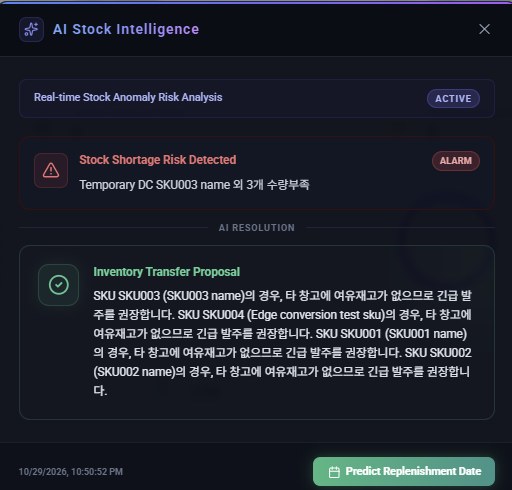
LWMS OptiFlow AI

An AI agent that keeps every flow in the warehouse moving

OptiFlow AI watches orders, stock and docks in real time, warns before problems happen and recommends what to do next.

Stock Poaching Alert
01 · Stock Poaching Alert

Stock Poaching Alert

When orders pour in from many branches at once, it detects in real time when stock for an earlier order is taken by a later, more urgent one — and alerts the original requester and the SCM team before delivery is affected.

Value
Prevents stockouts caused by order-priority conflicts
For
SCM managers, branches
Restock Probability Engine
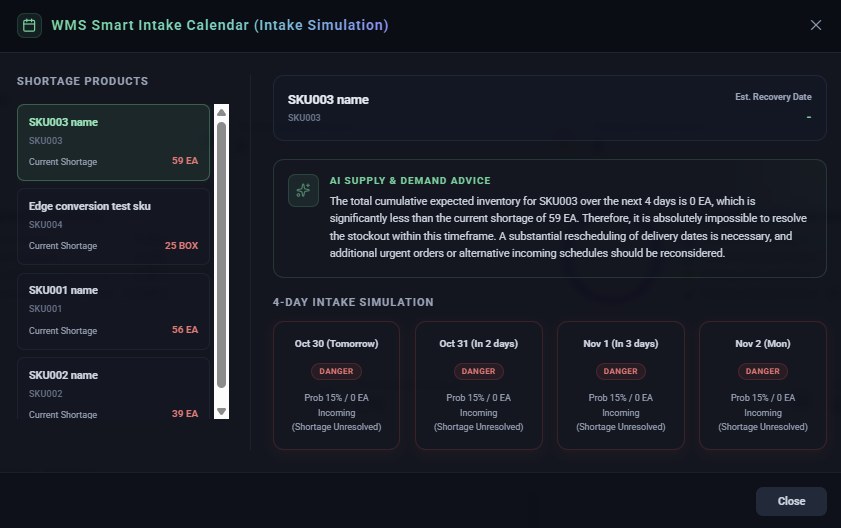
02 · Restock Probability Engine

Restock Probability Engine

For orders that can no longer ship as planned, AI analyzes past receipts and shows the daily restock and shipping probability (%) for the next 3–4 days, so teams can tell clients when goods can leave — with data.

Value
Data-based schedule communication for unshipped orders
For
CS and client account managers
Smart Dock Allocator
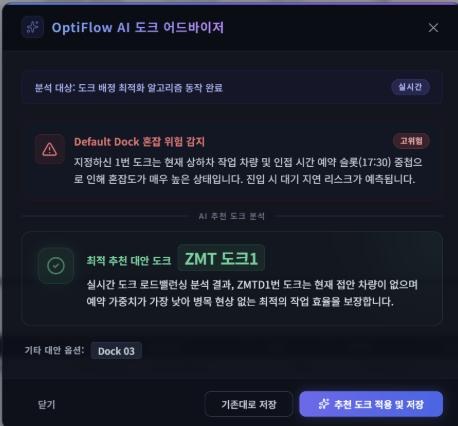
03 · Smart Dock Allocator

Smart Dock Allocator

When docks are assigned, it analyzes current work orders, predicts congestion at a dock, warns of delay and safety risks, and recommends the least busy alternative dock in real time.

Value
Clears loading bottlenecks and prevents accidents
For
Warehouse floor managers

Live system screen (demo data)

Built for the people on the floor

OptiFlow AI agent

Stock-poaching alerts, 3–4 day restock probability and smart dock allocation — see LWMS OptiFlow AI above.

Driver self-service kiosk

Automatic check-in and check-out, seal verification, e-signature and BOL printing — waiting time is logged automatically.

PDA app

Receiving, put-away, picking and loading by barcode scan, with up to 30 departure photos per truck as evidence.

9 languages

Korean, English, Spanish, Arabic, Thai, Vietnamese, Czech, Hungarian and Chinese — switch at login and on the kiosk.

Kiosk · WMS · PDA in one flow

Inbound

KIOSKCheck-in→KIOSKUnload→WMSReceipt→WMSLabel→PDAScan→PDAPut-away

Outbound

WMSOrder & dispatch→WMSPick list→PDAPicking→PDADock & load→KIOSKSeal · sign · BOL→WMSPOD

Let's design your next warehouse together

From WMS alone to full automation integration — tell us your volumes and we will propose the right mix.

Talk to an expert